A deployed Vercel app can become a native iOS and Android app without a rebuild in a mobile framework. Median creates the mobile app from your Vercel URL, adds native behavior such as push notifications where the product needs it, and prepares builds for App Store and Google Play submission. The work after that is testing: login, navigation, permissions, deep links, payment flows, and store listing assets.
If your Vercel app is already deployed, you don't need to rebuild it in a mobile framework before testing it as an iOS or Android app. You need a mobile app that can load the Vercel URL, add native behavior where needed, and pass through the parts of the app store process that a browser deployment never touches.
Median creates the mobile app from your deployed Vercel URL, which is the website to app step. The work after that is testing and configuration: login, navigation, permissions, push notifications, deep links, payment flows, privacy links, and store listing assets. If the app came out of an AI builder, the vibe-coded app store playbook connects this guide to the rest of the process.
What is Vercel?
Source: Vercel
Vercel is a cloud platform for building, deploying, and scaling modern web applications, with tools and infrastructure tuned for speed and collaboration.
It fits naturally with frameworks like Next.js, React, and other popular frontend technologies.
By providing infrastructure that automatically handles scaling, performance tuning, and edge delivery, Vercel allows developers to focus on building rather than managing servers.
What are the key features of Vercel?
Here are Vercel's key features that make it a powerful platform for building and deploying modern web applications
Performance & scalability
Framework support. Vercel supports leading frameworks like Next.js, SvelteKit, Nuxt.js, and Astro, many deployable with zero configuration.
Global edge network. Apps are delivered via a global edge network, ensuring low latency and high availability worldwide.
Scalability. Applications scale automatically to handle traffic spikes, with serverless and edge functions adjusting on demand.
Vercel Functions. Serverless functions adapt automatically to traffic, powering APIs, background tasks, and dynamic content.
Collaboration & workflow
Automatic deployments. Every commit or pull request triggers a new deployment with a preview URL for testing.
Preview environments. Preview URLs are generated for each branch, enabling collaboration and feedback before launch.
Integration with databases and APIs. Developers can connect apps to databases, APIs, and CMSs with integrations available in the Vercel Marketplace.
Observability & security
Observability and analytics. Vercel includes logging, tracing, and privacy-friendly analytics to track performance and Core Web Vitals.
Security. Built-in DDoS protection, firewalls, and WAF are paired with compliance to SOC 2, ISO 27001, and GDPR standards.

Vercel announced its SOC 2 attestation, reinforcing its focus on security and compliance.
Flexibility & cost efficiency
Multi-runtime support. Developers can use Node.js, Python, and other runtimes across routes or entire applications.
Cost efficiency. The serverless architecture ensures you only pay for the resources you use, minimizing costs during low-traffic periods.
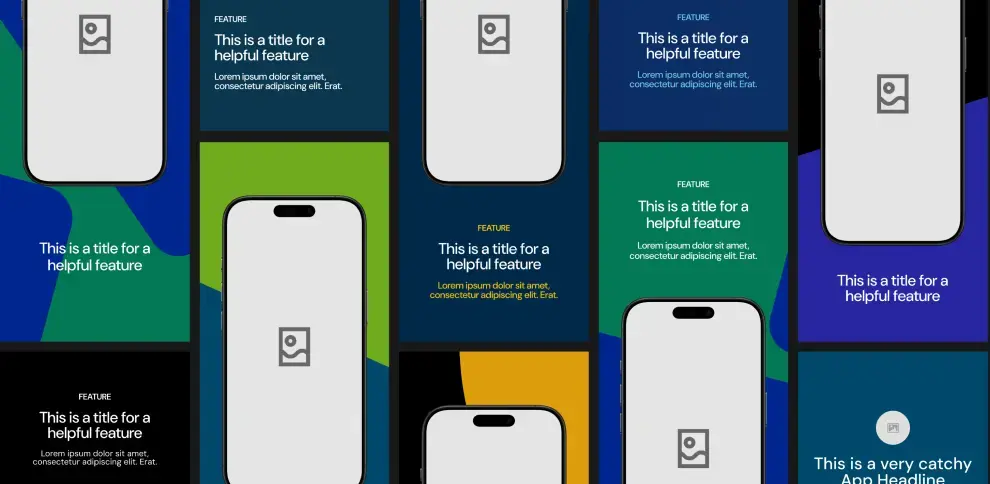
Unlock Median’s 500+ free Figma app store screenshot templates designed to meet iOS and Android guidelines. Your app will look its best across platforms, resulting in more downloads and a more powerful app store presence.
Why convert your Vercel web app into a native app?
Converting your Vercel web app into a native mobile app gives users a smoother experience than the mobile browser.
With a native app, you can achieve higher engagement rates and better performance than web apps. Some of the benefits of converting to a native app include:
Native app features: With native apps, you can access device-specific features, such as push notifications, GPS, haptic feedback, and camera integration, features that aren’t possible with websites and web apps. These tools can significantly improve how users interact with your app, driving more engagement.
App store presence: Native apps offer the opportunity to publish your app on the Apple App Store and Google Play Store, where users can easily discover, download, and engage with your product. A spot in the app store is a major advantage for brand visibility and customer acquisition.
Offline access: One of the most significant benefits of native mobile apps is offline functionality. Unlike web apps, which require a constant internet connection, native apps store data locally and allow users to interact with the app even when offline.
Improved user engagement and retention: Studies show that mobile apps have much higher engagement and retention rates compared to web apps. Apps can offer more personalized experiences with features like user notifications and reminders, all of which are highly effective for driving repeat usage.
How Median.co can help convert your Vercel web app into a native app
Median.co offers a simple and cost-effective solution to make your Vercel web app a native iOS and Android app.
Using Median’s App Studio, you can convert any website into a mobile app with native features such as push notifications, haptic feedback, and device-specific functionality like GPS and camera access.
Here are some key benefits of using Median.co:
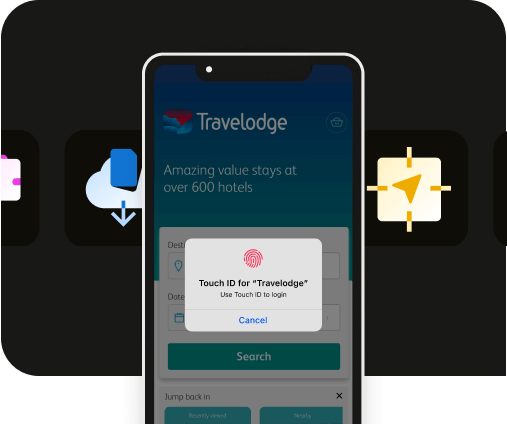
Extensive native plugin library: Median.co's App Studio includes a wide range of native plugins that allow you to easily add advanced native features to your app, such as push notifications, haptics, Face ID/Biometric login, and more, including SDK integrations for leading mobile vendors.
Real-time app building: The platform lets you see real-time updates of your app as you customize it, ensuring you get the exact look and feel you want.
Easy publishing: Median's publishing service submits your app to the Apple App Store and Google Play Store for you, while you focus on the product.
With Median.co, the conversion process is simple, and you don’t need to be a developer to create a fully functional mobile app.

Get hands-on with Median’s comprehensive documentation, and build your app with ease.

How to convert your Vercel web app into a native app using Median.co
Ready to convert your Vercel web app into a native app? Get started with a step-by-step guide to using Median.co's App Studio.
Step 1: Build your app in the Median.co App Studio
Start by visiting https://median.co/app. Enter your Vercel URL as the "Website URL" and update your "App Name" as needed.
An email address is required for ongoing access to your app in the App Studio, you’ll then receive an email with a link to verify your account. To continue, click the button to start building your app
Step 2: Preview & test your new app
Median.co offers browser-based simulators to easily preview your app on iOS and Android devices without leaving your web browser.
As a starter, test that the basic functionality within your new app is performing as expected.
Step 3: Customize your app
In the Branding tab, you can upload an app icon and splash screen image or animation, and set theme colors to fully customize your app and align with your brand.
Additionally, you can explore options for Interface Settings, Link Handling, Website Overrides, and Permissions to tailor your app user experience to meet your requirements.
Native Navigation is where you can create a natural native app experience for your users, as well as finding help to meet Google and Apple design requirements.
Finally, you can explore Median’s Native Plugins to add advanced native features and integrations like push notifications, haptic feedback, and analytics to enhance user experience and maximize outcomes for your app.
Launch a full-feature native app without native development!

Step 4: Test your app
Now that your app is customized, it’s crucial to test it on different devices before submitting it to the App Stores. Median.co offers:
Browser-based simulators to help ensure everything is functioning properly.
A convenient Public Sharing Link to provide access to stakeholders during testing.
Functionality to easily test on physical devices (an Apple Developer account is required for iOS).
Step 5: Launch your app
Open the Billing tab in the App Studio and select a plan based on the functionality your app needs.
Median also offers a publishing service where the Median team manages the entire submission to the Apple App Store and Google Play for you.
Vercel subdomains and custom domains
You can test with a vercel.app URL, but a custom domain is usually better for a production app.
A custom domain gives you:
Cleaner app store review context.
Better brand trust.
More stable links for deep linking and support.
Less risk that users see a development-looking URL in account, login, or email flows.
If your current app still uses a temporary Vercel preview or staging URL, don't submit that version to the stores. Publish the production URL first, then create the mobile build from that URL.
How to publish your Vercel app to the Apple App Store and Google Play
Once the native app is configured and tested, publishing runs through Apple's and Google's normal processes. The steps below assume you have built the app in the Median App Studio and tested it in the simulators or on a device.
Publishing to the Apple App Store
Register with the Apple Developer Program: Enrollment is typically $99 USD per year. Businesses register as an Organization, which requires a D‑U‑N‑S number, so the brand name appears correctly in the App Store.
Create your app record: In App Store Connect, create a New App and match the Bundle ID to the one in your Median-built app.
Complete metadata and privacy details: Upload iPhone screenshot sets, fill in name, description, keywords, category, and support URL, and complete Apple's App Privacy section. If the app requires login, add demo credentials under App Review Information.
Upload the build: Connect your Apple Developer account in the Median App Studio using an App Store Connect API key. Median builds a signed distribution IPA in the cloud and uploads it directly to App Store Connect for TestFlight and App Store submission, with no Mac, Xcode, or Apple Transporter required (see the upload documentation).
Submit for review: Apple typically responds within 24 to 48 hours, though it can take longer.
Publishing to the Google Play Store
Create your Play Console account: Registration is a one-time $25 fee, and Google requires developer verification before publishing.
Complete the Play Console checklist: store listing metadata and graphics, a valid privacy policy URL, the Data Safety section, content declarations, permissions, target audience details, and app access instructions if login is required.
Upload your Android App Bundle: Generate the AAB from the Median App Studio (see the Android build documentation). Google no longer accepts APKs for new submissions.
Start the rollout: After review and policy checks pass, roll out to Production. New accounts can wait up to 7 days for the initial security review.
If you would rather hand the submission off, Median's publishing service manages the entire process, including review feedback and resubmissions. Median has published over 4,000 apps and, as of July 2026, maintains a 100% approval rate.
Selling subscriptions in a Vercel app
Digital subscriptions sold inside an iOS or Android app must go through Apple's In-App Purchases and Google Play Billing. A web checkout on your Vercel site can keep serving browser users, but it cannot handle the purchases inside the store apps.
Median's recommended route is RevenueCat. The RevenueCat In-App Purchases plugin ships both billing systems in your builds, and your web code reads entitlements through Median's JavaScript Bridge to gate premium features. The RevenueCat subscriptions guide walks through the setup, including the rebuild the app needs after monetization is added.
Why native apps offer better business results
Converting your Vercel web app into a native mobile app changes the business results, too. Here's how.
Easier user acquisition: Having your app in the app stores gives your business more credibility. Customers are more likely to download an app that is easily accessible from the Apple App Store or Google Play. Plus, depending on your expected user base, you can serve app install ads to acquire new user app installations, leading to increased downloads and conversions.
Engagement and retention: Native mobile apps have a higher retention rate than web apps. They provide a more personal and interactive experience through personalized push notifications powered by analytics that can be used to increase user retention. They also offer offline access and native device features, such as your app icon being present on user’s home screens, providing easy access to your app and ensuring users stay engaged longer.
Better user experience: Native apps offer faster load times and smoother transitions compared to web apps, which can lead to greater customer satisfaction and higher reviews on app stores. They also offer an improved app navigation experience, boosting user satisfaction.
Revenue generation: With access to in-app purchases, advertisements, and subscriptions, native apps provide more opportunities for monetization compared to traditional web apps.
Discover how Median empowers companies to speed mobile app development, engage users, and reduce expenses.
Vercel builds web apps, Median gets them in the app stores
Vercel is a leading platform for building and deploying modern web applications, giving developers speed, scalability, and collaboration tools to deliver production-ready apps.
Median extends that experience to mobile, adding the native features and store presence a deployment alone can't reach.
Whether your goal is driving deeper engagement, building a stronger community, or simply improving mobile accessibility, converting your Vercel web app into a native iOS and Android app can open new opportunities.
Median.co takes your Vercel project to the App Store and Google Play without the hassle of hiring mobile teams or managing complex infrastructure.
Ready to try it? Enter your Vercel URL and test the app Median builds from it.
Frequently asked questions
Can I turn my Vercel app into a native iOS and Android app?
Yes, a Vercel app can become a fully functional native iOS and Android app through Median.co. The conversion lets you keep your existing Vercel workflow while adding native features like push notifications, offline support, and app store publishing.
Do I need mobile development skills to build a native app from Vercel?
No, building a native app from Vercel takes no mobile development skills. Median is a web to app platform, and your Vercel app serves as the foundation, and Median.co handles the native app layer, making the process nearly code-free.
Why should I convert my Vercel app into a native app instead of relying on mobile browsers?
Native apps offer stronger retention, higher engagement, and better monetization than mobile browsers. Features like push notifications, app store visibility, and offline access give your users a richer experience than a standard web app.
How does Median.co integrate with my Vercel workflow?
Median.co doesn’t replace your Vercel workflow, it complements it. You can continue deploying and scaling your app with Vercel’s tools while Median.co handles the native app conversion and publishing to the App Store and Google Play.
Do I need a UDID to test my Vercel app on iOS devices?
Yes, iOS device testing needs your device's UDID. If you’re testing an iOS app built from your Vercel project, you’ll need to get UDID (Unique Device Identifier) for your device. This is required to register your iPhone or iPad for app testing before publishing to the App Store.
*DISCLAIMER: This content is provided solely for informational purposes. It is not exhaustive and may not be relevant for your requirements. While we have obtained and compiled this information from sources we believe to be reliable, we cannot and do not guarantee its accuracy. This content is not to be considered professional advice and does not form a professional relationship of any kind between you and GoNative.io LLC or its affiliates. Median.co is the industry-leading end-to-end solution for developing, publishing, and maintaining native mobile apps for iOS and Android powered by web content. When considering any technology vendor we recommend that you conduct detailed research and "read the fine print" before using their services.*